Two small tools that make big quotes read clearly — and make generosity look intentional.
Sections
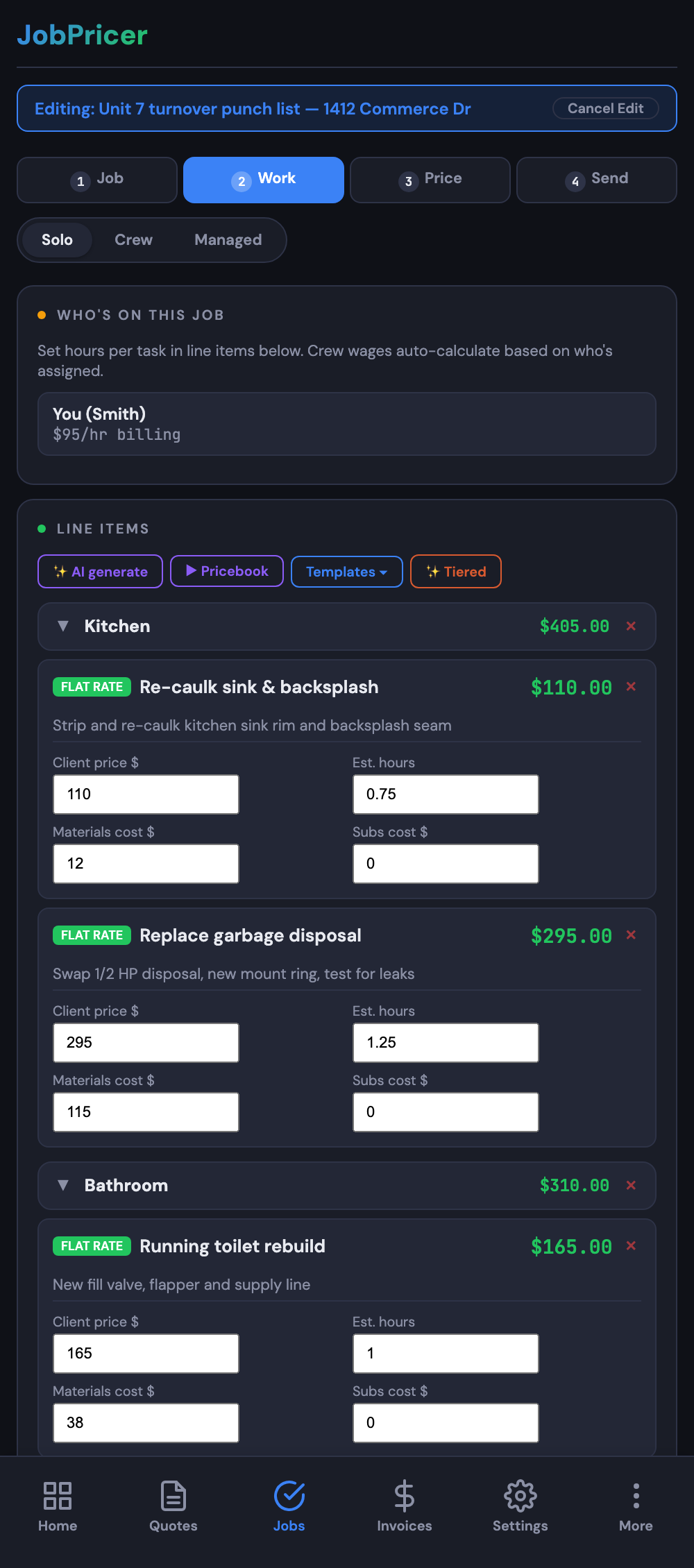
Group line items under named headings — Kitchen, Bath, Exterior — each with its own subtotal. Sections appear in the quote builder, on the client's portal view, and on the PDF, so a big remodel reads as an organized plan instead of a wall of lines.
To add one in the quote builder, tap Add section, name it, and drag line items in. Subtotals calculate automatically.
Saved discounts
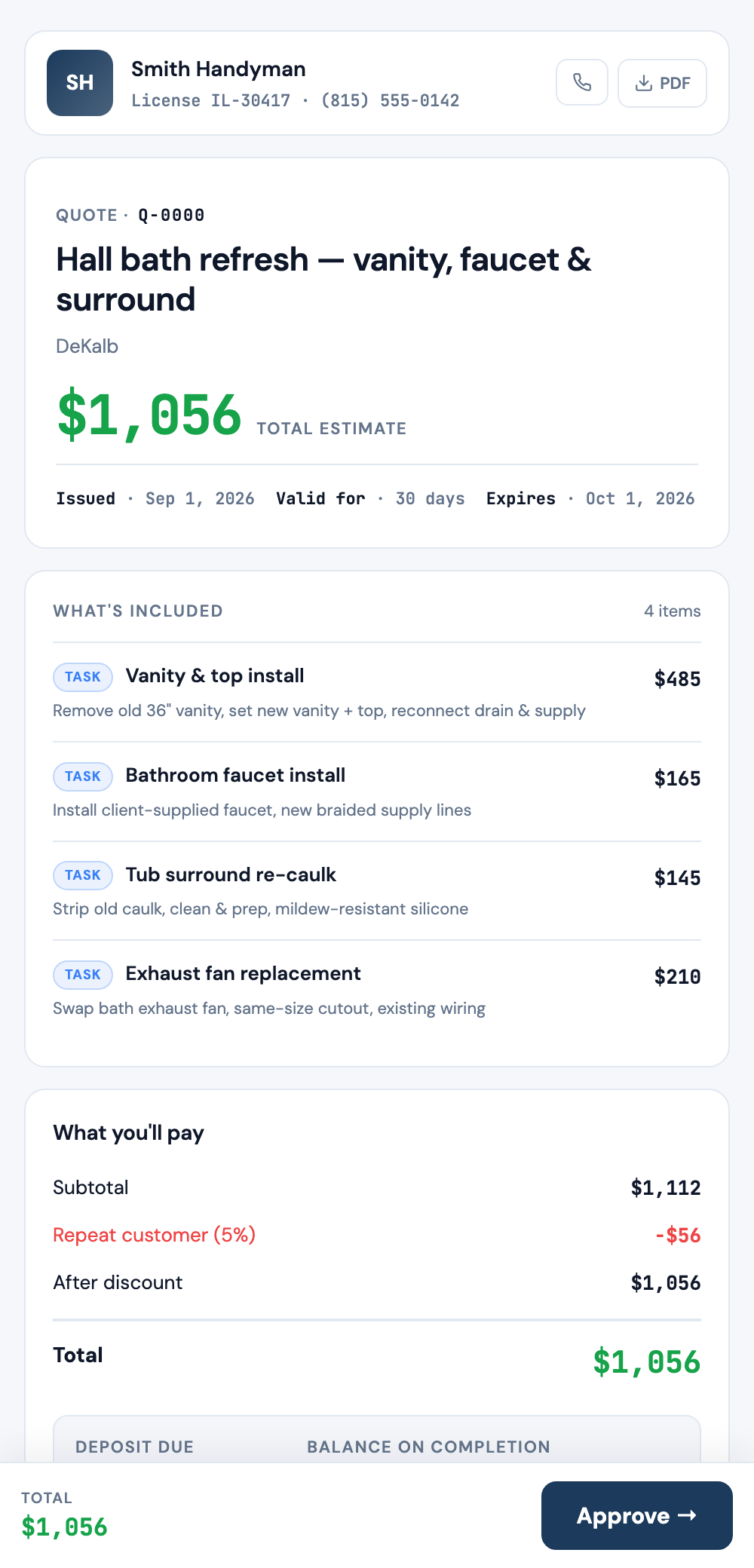
Create named discounts once — "Military & veterans −10%", "Repeat customer −5%" — and apply them with one tap on any quote. The discount prints by name on the quote, portal, and PDF, so the client sees exactly what you gave them and why.
That visibility is the point: an invisible price cut buys no goodwill, but *"Military & veterans −10% — thank you for your service"* on the PDF does.
Manage them in Settings → Rates & overhead → Saved discounts.