Once your rates are set, sending a quote takes just a few minutes.
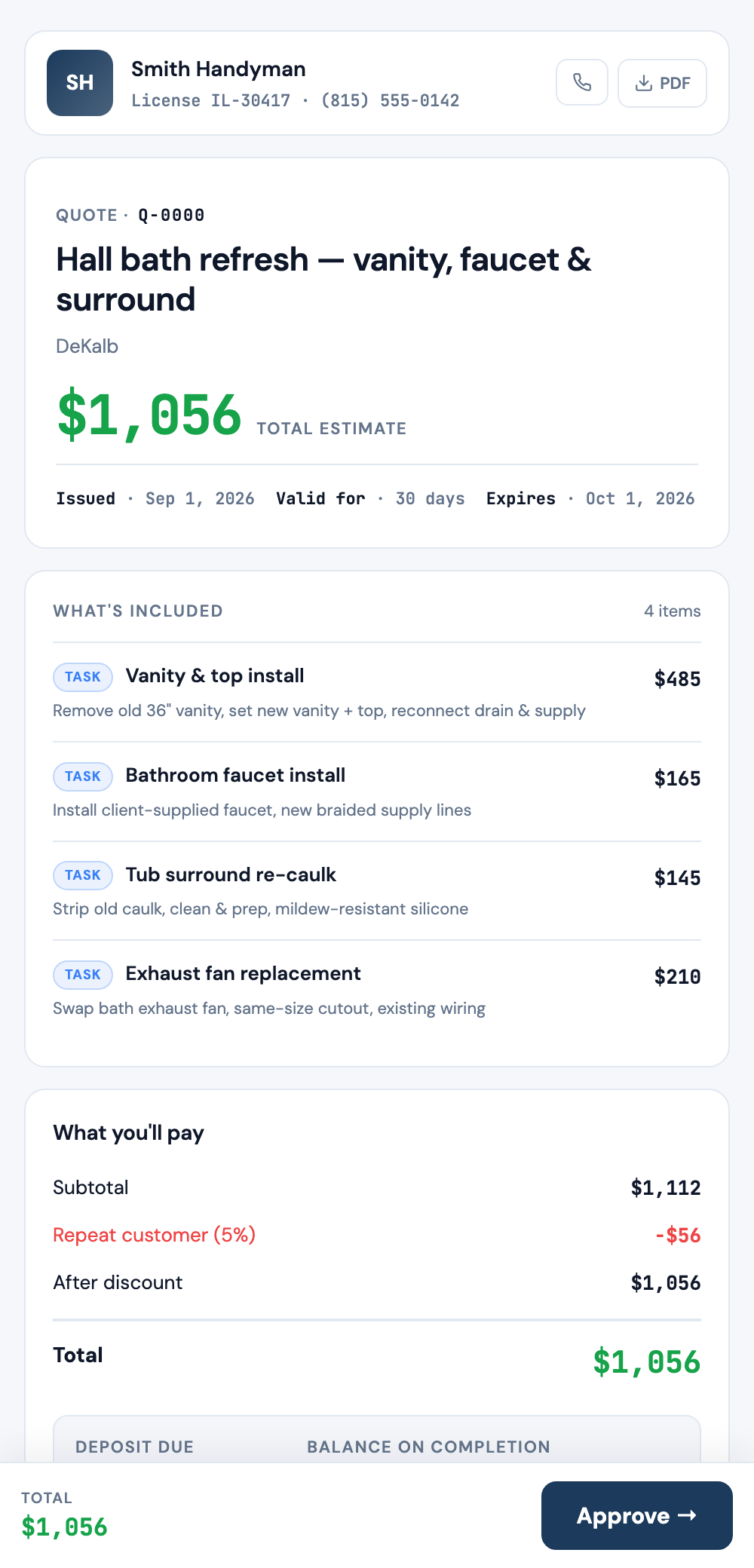
Steps
- Start a new quote and add the customer (or pick one from your CRM).
- Add line items — type them in yourself, or let the AI draft them from a plain description of the job.
- Review the total and the profit margin JobPricer shows you.
- Send it — your customer gets a clean, branded quote they can approve and e-sign from their phone.
After you send
You'll be notified when the quote is viewed and accepted, and you can collect a deposit online right away so the job is funded before you buy materials.
FAQ
Can customers sign the quote?
Yes — they can approve and e-sign right from their phone, no printing or scanning.
Can I save a quote and finish it later?
Yes. Save it as a draft and pick it back up from any device — it all syncs.